
Why visit requirements matter
Visit requirements are the readings and checklist items technicians must complete before they can save a visit as finished. Setting them at the company level keeps every tech consistent and avoids missing data when something goes wrong on a pool.
Set the company-wide defaults
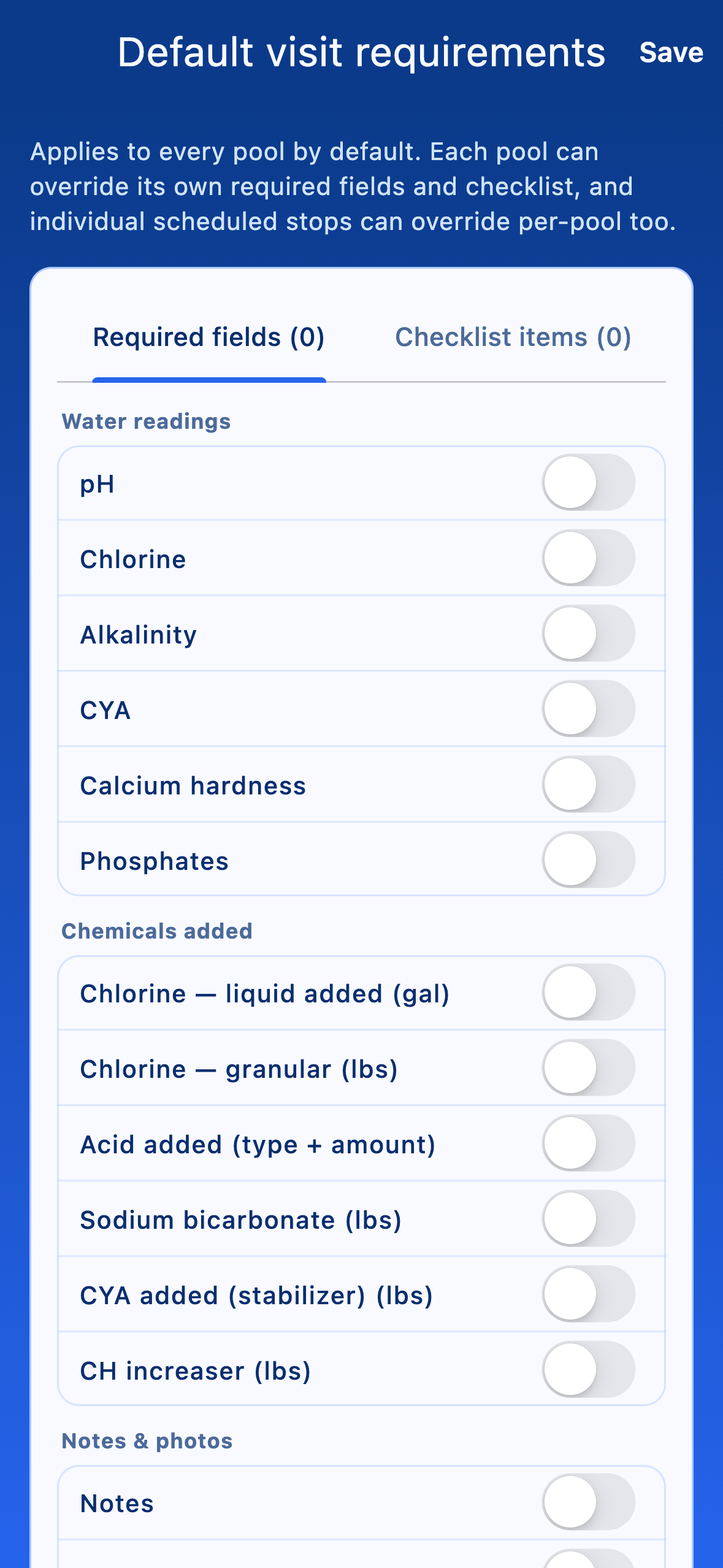
Open More → Settings → Default visit requirements. The screen has two parts:
- Visit requirements editor — toggles for each chemistry reading and task that should be required by default.
- Checklist items — free-text checklist items technicians have to tick at every visit (e.g. brush walls, empty skimmer basket).
When you tap Save, you get two optional propagation switches:
- Apply required-fields default to every pool — overwrites per-pool requirement overrides so every pool matches the new company default.
- Reset upcoming planned visits — clears requirement overrides on scheduled stops so they match the new defaults too.
Override requirements for one pool
For pools that need extra readings (e.g. salt for a saltwater spa, ORP for commercial pools), open the pool from Clients & billing, then tap Visit log requirements (this pool). Per-pool overrides apply on top of company defaults — you can add requirements without affecting everyone else.
How techs experience requirements
On Log visit, required readings appear with a small indicator and the Save visit button stays disabled until every required field has a value and every checklist item is ticked. Techs see a clear list of what's missing.