
Pool service, beautifully organized.
myPoolFlow gives pool pros one calm home for schedules, visits, billing, and optional chemical inventory — so your team stays aligned and every pool gets the service it deserves. Full-featured native iOS and Android apps share the same account as the web client, and mobile keeps logging visits when there's no cell signal.
Built for the field
Everything a pool service team needs — nothing that slows them down.
myPoolFlow is designed around the real rhythm of route-based service: a planner that mirrors how the week actually runs, visits that capture what matters, and billing that doesn't get in the team's way.
Field-ready workflows
Capture visits, chemistry, and photos one-handed from any pool. Required readings and stop checklists run per-pool, so techs can’t skip what your company cares about.
Water balance & dosing
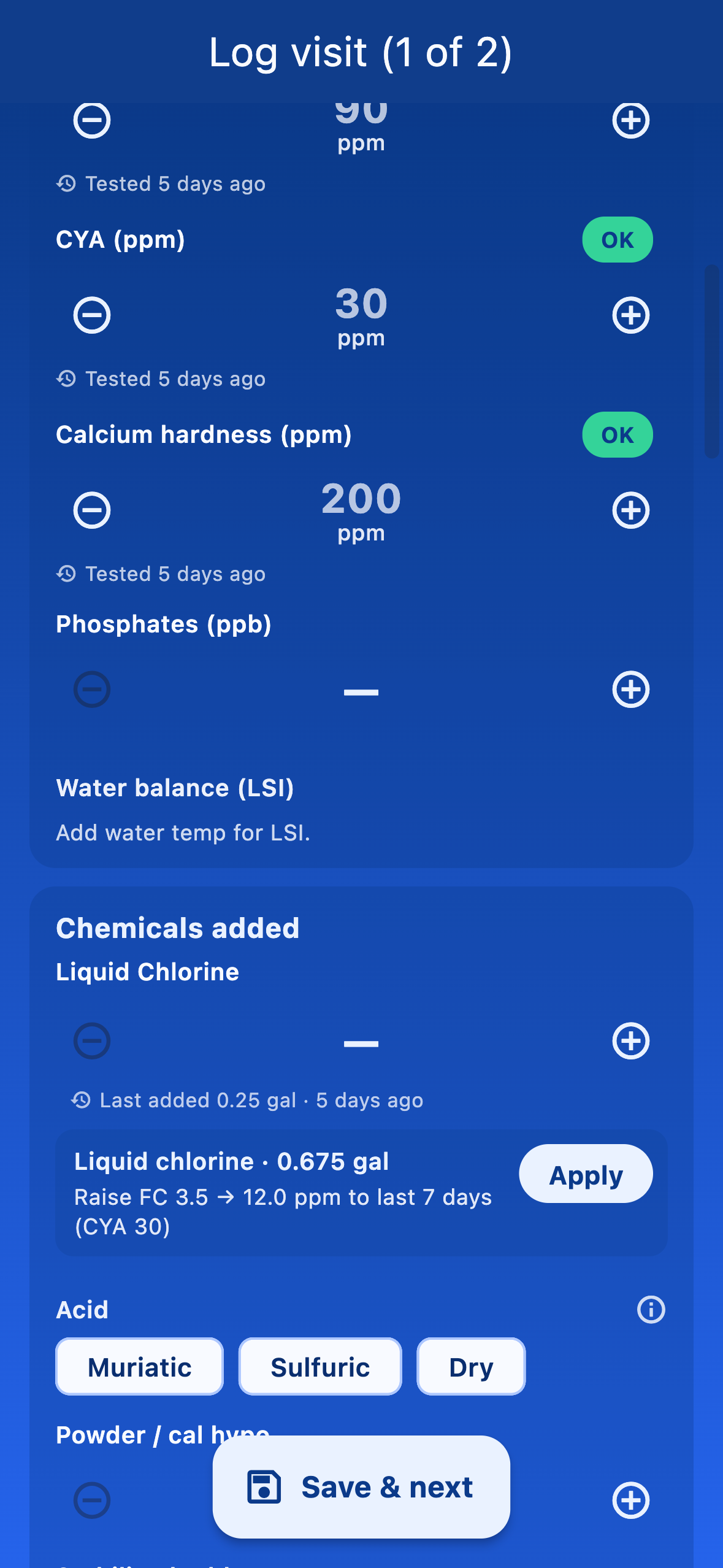
Enter readings and myPoolFlow scores water balance (LSI) as corrosive, balanced, or scaling, then suggests how much chlorine, acid, alkalinity, calcium, CYA, or salt to add — one tap to apply the dose. Guidance only; the tech always confirms.
Team coordination
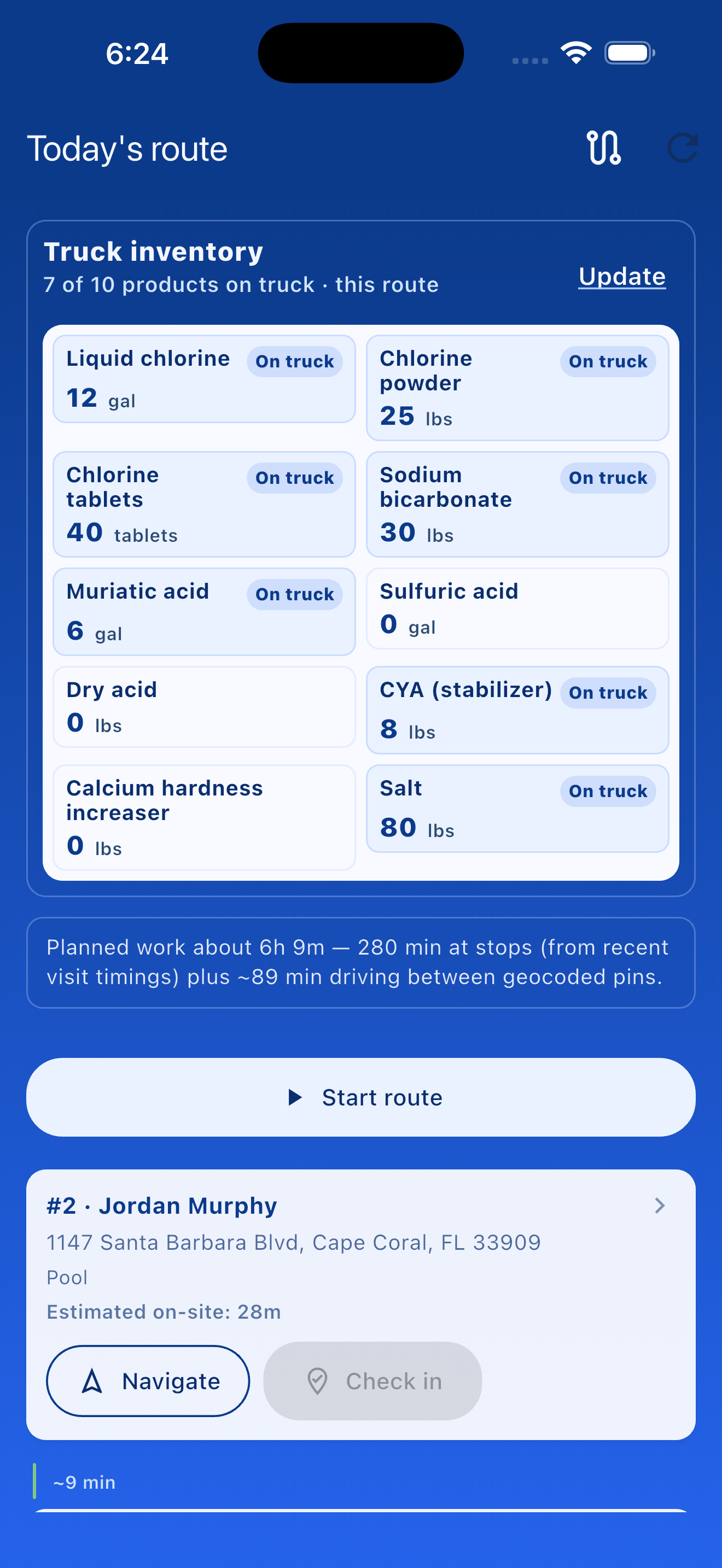
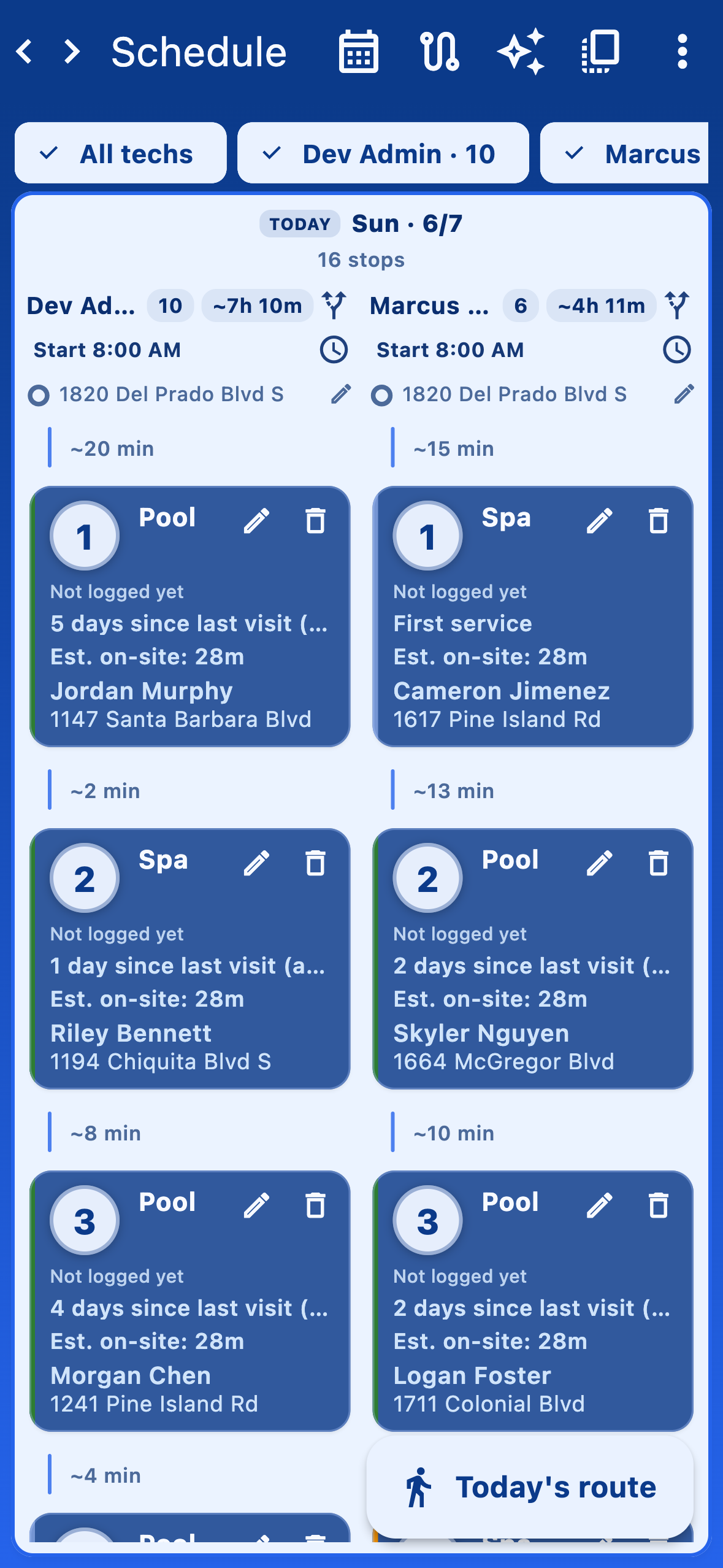
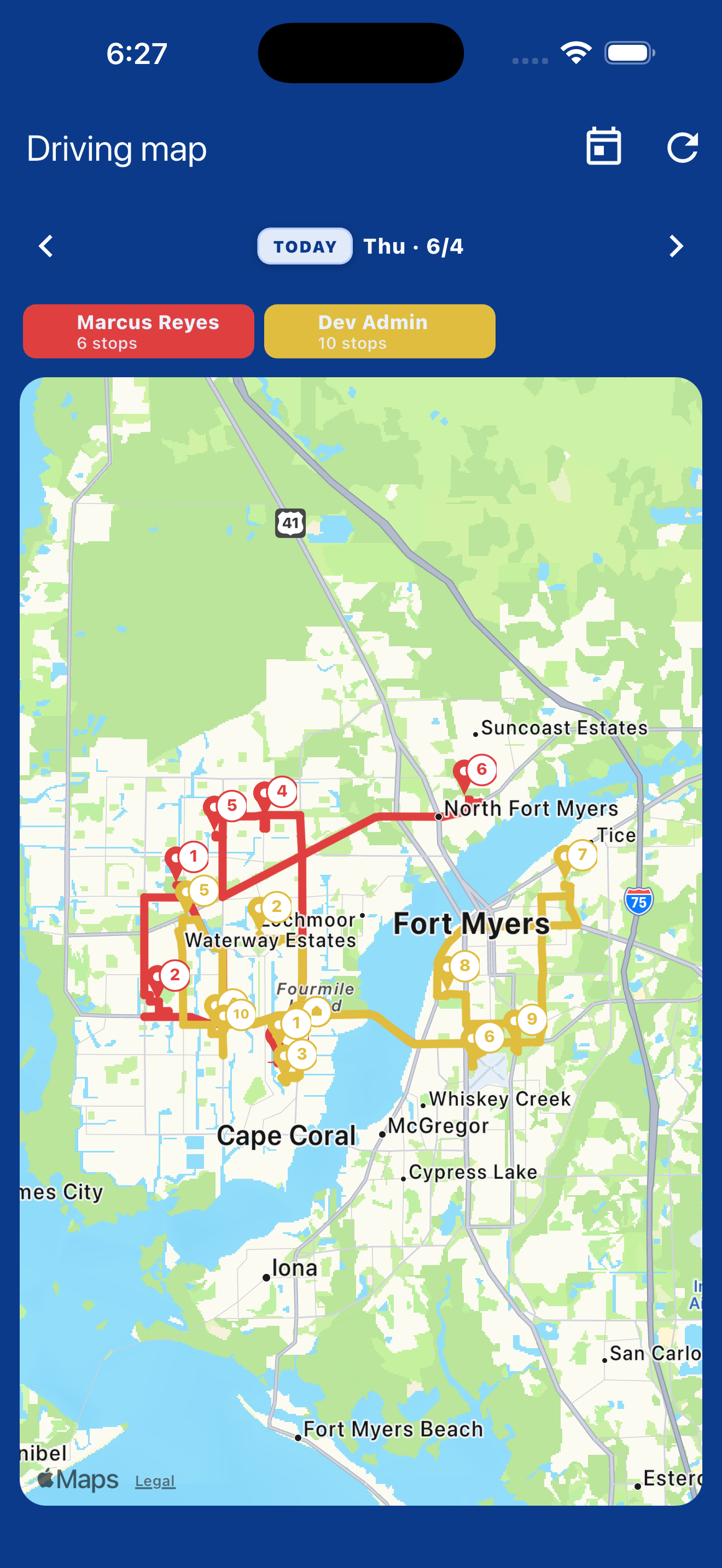
Plan the week in a drag-and-drop planner with per-tech lanes, then open the day on a driving map. On iPhone, drive segments show real-road distance from Apple’s maps with green, amber, or red as a congestion hint.
Team chat
Crew conversations stay inside myPoolFlow instead of scattered group texts. Auto-managed company room plus group chats with attachments, once you have two or more members.
Keeps working without signal
Mobile keeps logging visits and notes when the phone has no bars at a gate, equipment pad, or canyon road. Everything syncs as soon as cell data comes back.
Photo-first visits
Before/after photos attach to every visit. No more digging through camera rolls or scattered texts when a customer asks what happened.
Inventory & purchasing
Track stock across warehouses and trucks with a running ledger. Add your own chemicals and work-order parts in your units; visits and completed work orders deduct automatically.
Quotes & work orders
Draft, send, optionally collect a Stripe deposit, schedule on the planner, and complete on a visit. Charges post to the customer’s billing ledger when the job ships.
Customer billing & payments
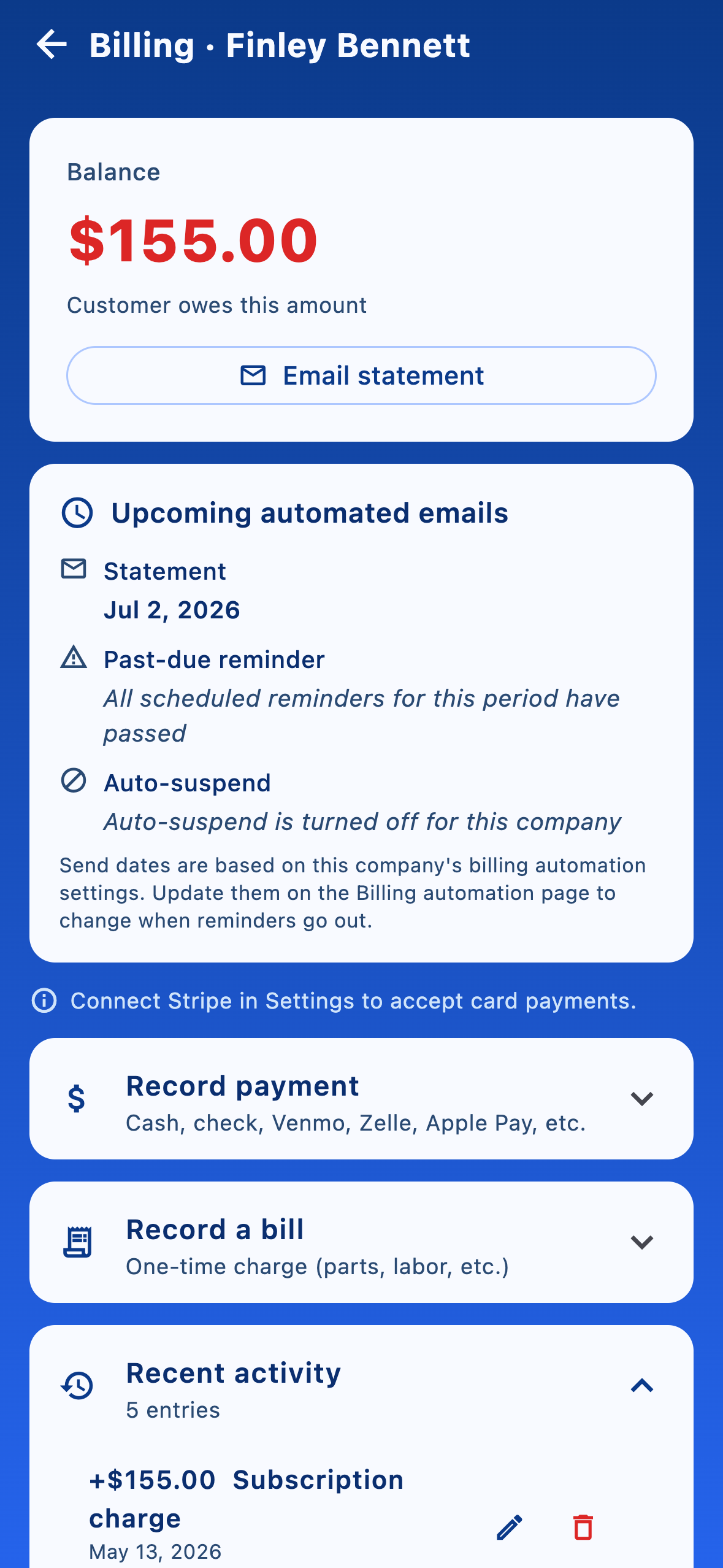
Five pricing models you mix per client — flat subscription, per-visit, chemicals-only, or any of those with chemicals at your sale prices. Stripe card on file, monthly statements, no markup on processing.
Insights & reports
Mileage and chemical-dosage trends over any date range, per technician. The profitability report uses your labor, mileage, and chemical costs to estimate profit per customer and per pool.
Water balance & dosing
From readings to the right dose — at the pool.
Enter the day's readings and myPoolFlow scores water balance (LSI) as corrosive, balanced, or scaling, using pH, temperature, alkalinity, calcium hardness, and CYA. Then it recommends how much chlorine, muriatic acid, alkalinity, calcium, CYA, or salt to add to hit your targets — with a one-tap Apply so the amount lands on the visit. Recommendations are guidance, not autopilot: the technician always reviews and confirms what actually went in the water.
How it works
From first customer to clock-out and the route map.
Set up the business, plan the week, then hand technicians a calm field flow: today's list, check-in, visits, and a clean end to the day — with a visual route when you want to see the whole path.
Step 1. Create customers
Add households and billing context first so every pool and visit rolls up to the right account.
Step 2. Add pools & spas
Attach bodies of water to the service address — main pool, spa, or extras — with notes your techs see on the route.
Step 3. Build your team
Invite technicians and admins, mark who is active in the field, and keep roles clear before anyone hits the schedule.
Step 4. Clock out & wrap the day
At the planned end address, clock out closes the route day. myPoolFlow can show time on route and an estimated driving distance when the device can compute it.
Route visualizer
Pull the whole day onto one map.
Pick a calendar day and open the team driving map: every active technician's planned path and stops appear together so you can sanity-check coverage, ordering, and rough drive shape before anyone rolls. On iPhone, Apple's maps draw road-following legs when routing succeeds; when a segment will not resolve, a straight connector keeps the visualization honest without blocking the rest of the day.
From the founder
Built by a pool pro, for pool pros.
I run a pool service company, and I built myPoolFlow because the tools I tried were either bloated, priced for big franchises, or missing the things that actually matter on a route. So I made the app I wanted to use every day — and I still use it to run my own routes.
That means every feature has to earn its place in the field: fast on a phone, useful one-handed at a pool, and honest about what it does. When something doesn't work for my own business, it gets fixed.
Get myPoolFlow on your phone.
Download for iPhone and iPad today — Android is coming soon. Want product news and updates? Leave your email below.